Find a channel, a movie or a series — or a game that's on right now.
Open search
-
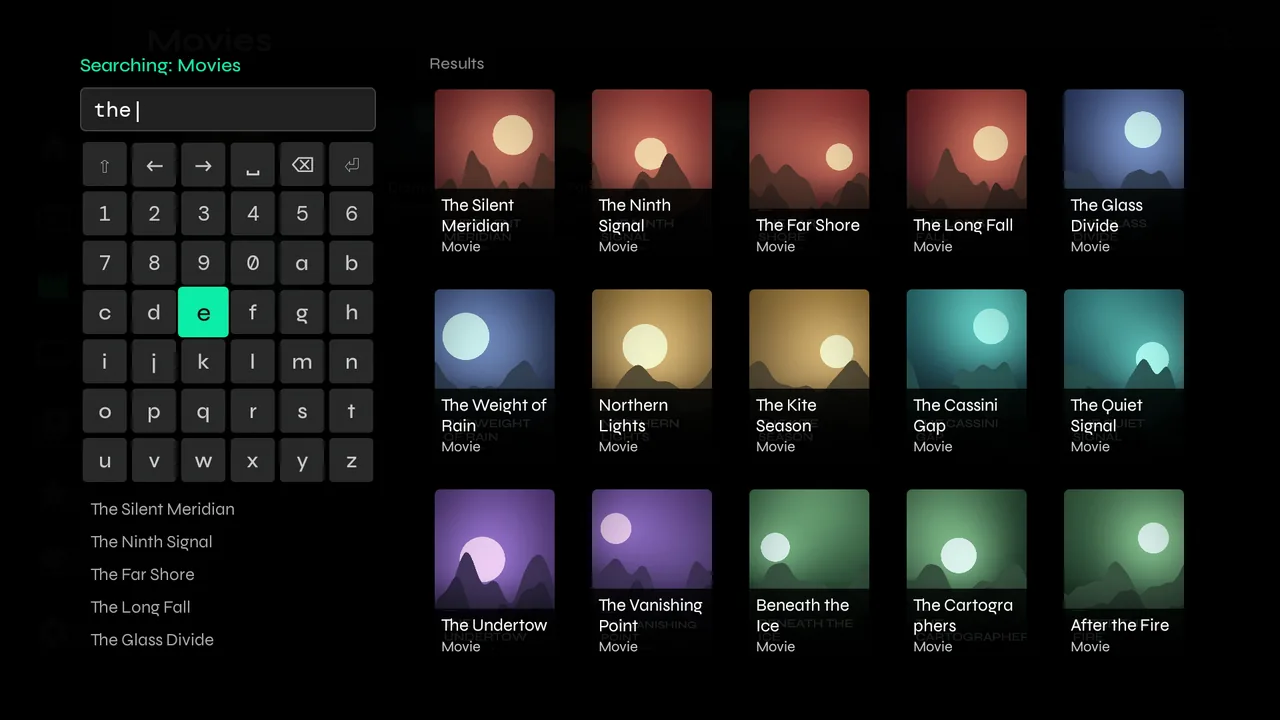
1In Live TV, Movies or Series, press up to reach the magnifying glass in the top-right corner and press OK. Search looks in the section you're in; the top line says which.

-
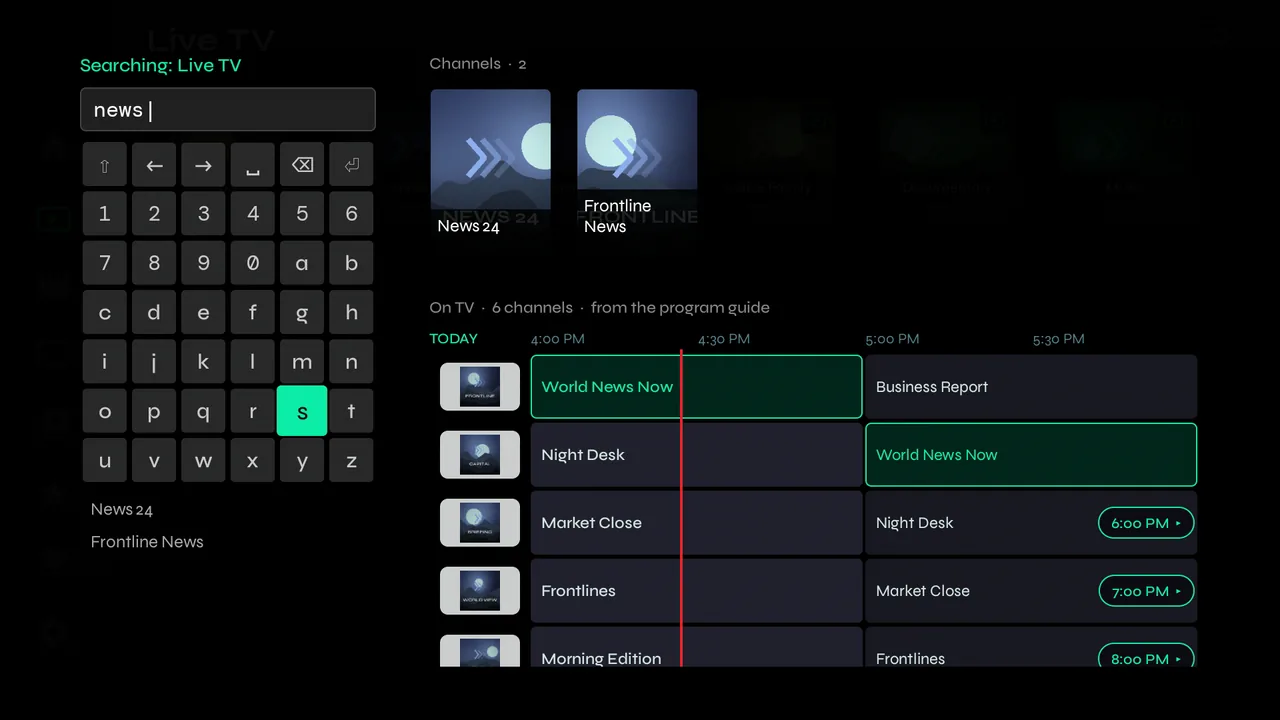
2Type with the on-screen keyboard. Results appear from the second letter, and words match from their start, so news finds News 24 and Frontline News.
What's on now
-
1In Live TV, search reads the program guide too. Below the channels, On TV shows programmes whose titles match — a team, a show — on a small guide, with the matches outlined. Move into it and press OK to watch.
-
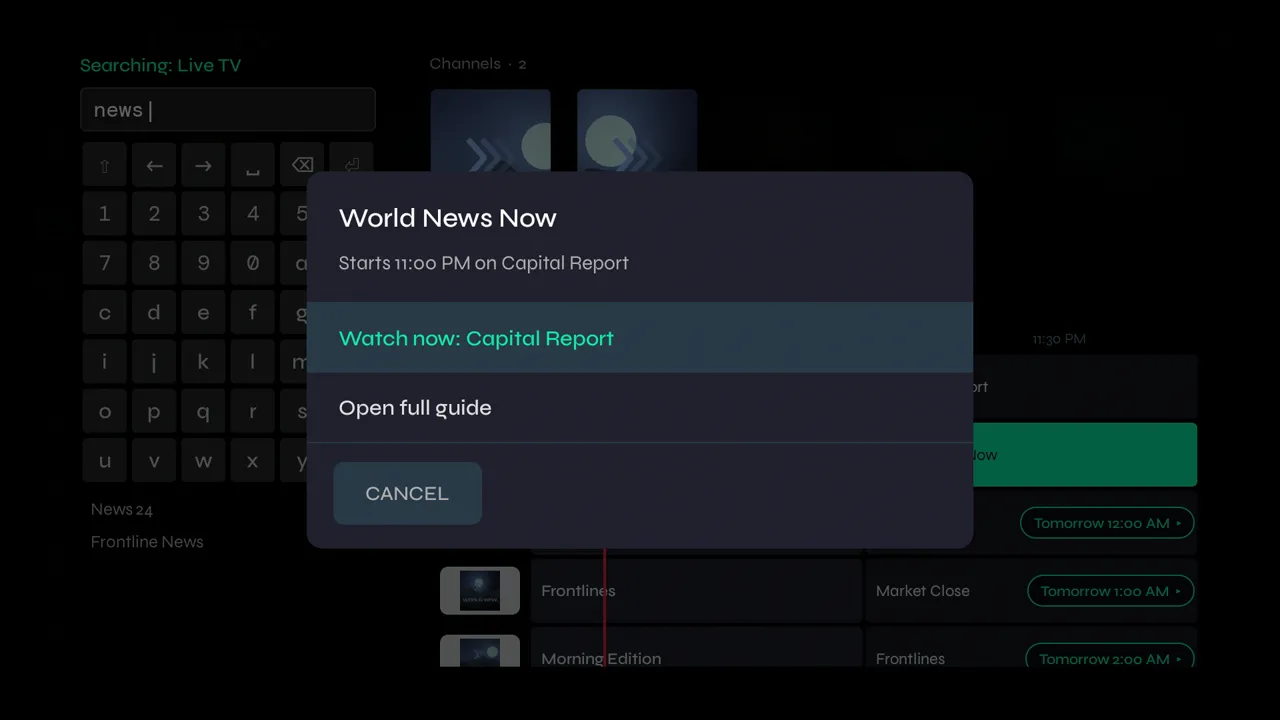
2If the programme starts later, or more than one channel shows it, OK asks first: watch the channel now, or Open full guide…
-
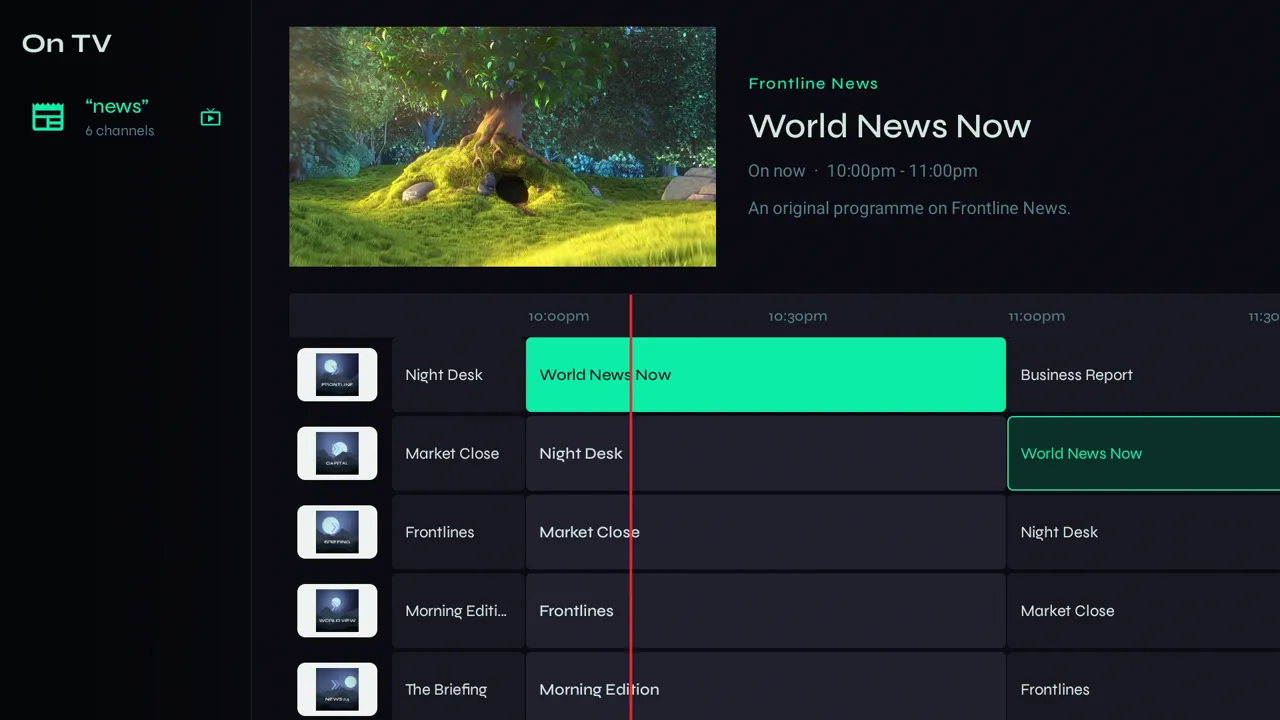
3…the Live Guide with only the channels your search found, so you can see the whole evening. Press Back to return to your search.
-
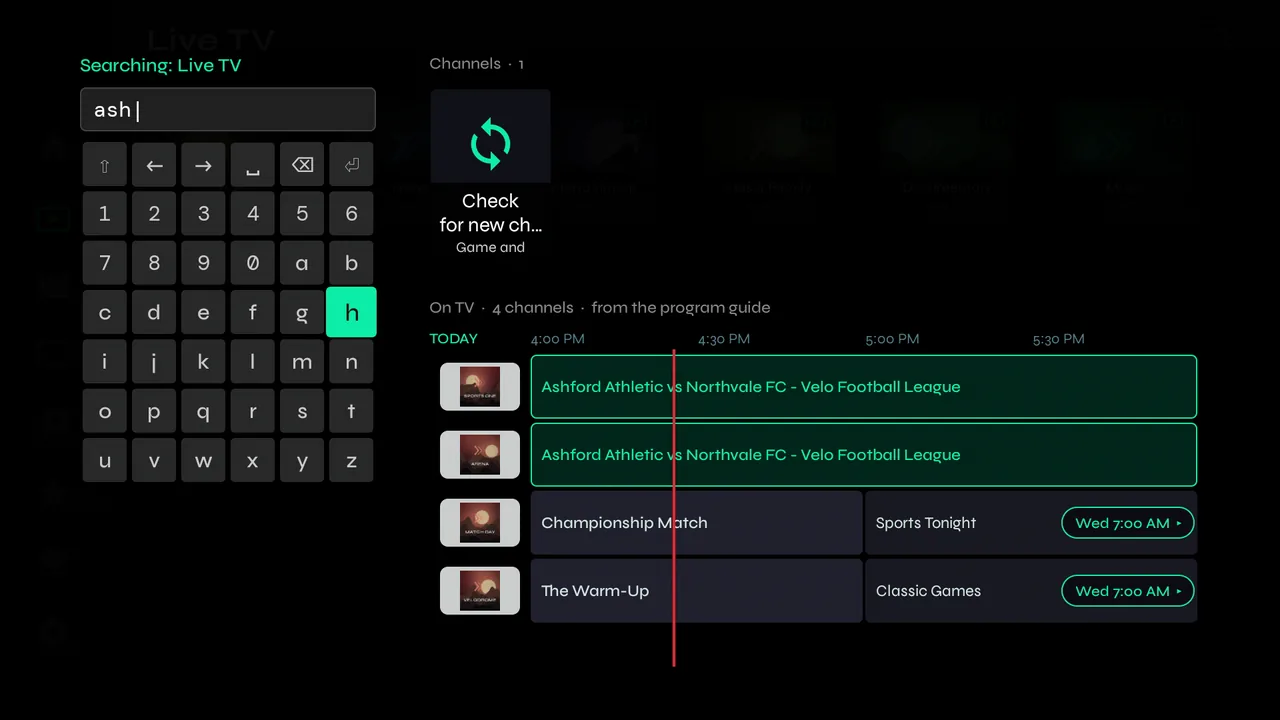
4Looking for a game channel Velo hasn't seen yet? Providers often add event channels on the day. Choose Check for new channels and Velo fetches the latest live list, which takes about a minute.
Movies and series
-
1Movie and series searches list matching titles as you type. Press OK on one to open it.
-
2To look inside one category only, hold OK on the category and choose Search in Category.