Today's games from your own program guide: what's live, what's later, and which channels show them.
The Sports page
-
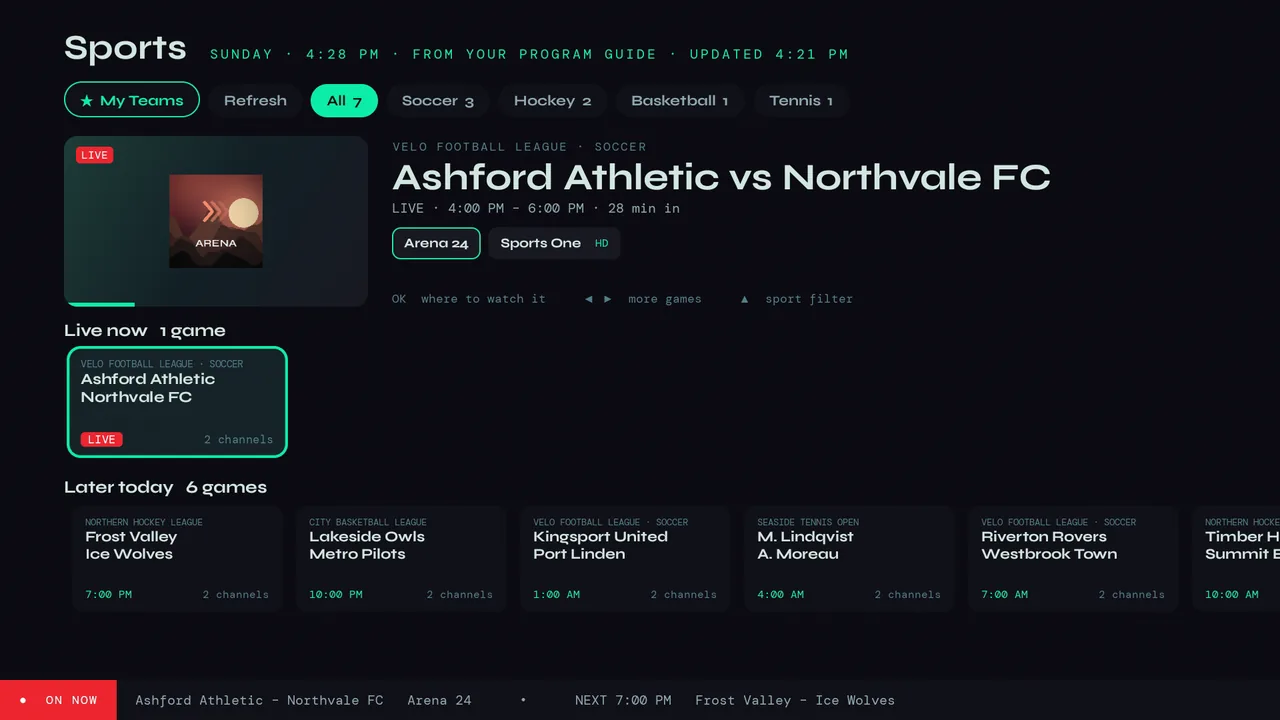
1Choose Sports in the menu. Velo reads your provider's program guide and lists the games that are live now and on later today, with each sport along the top as a filter.
-
2Everything comes from your provider's guide. If a game isn't in it, Velo can't see it.
-
3The page keeps itself up to date while it's open. Refresh, at the top, reads the guide again straight away. A game channel your provider added today? Use Check for new channels in Live TV search.
A game
-
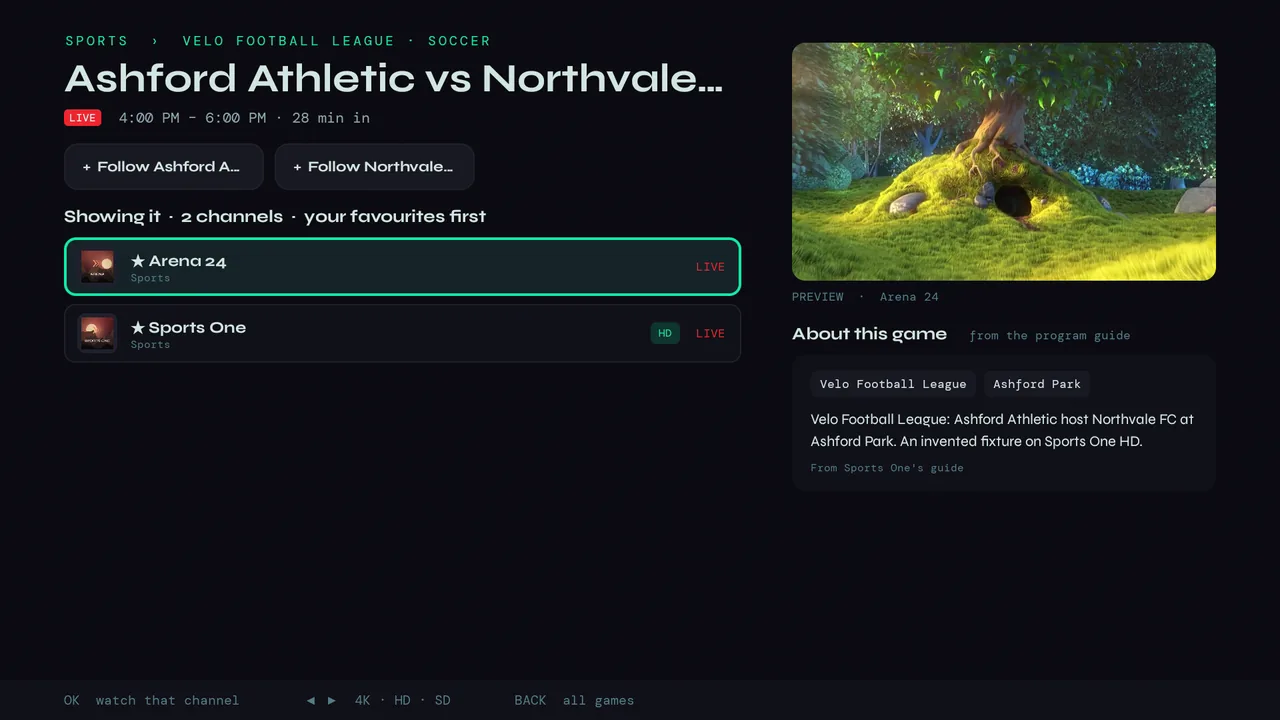
1Press OK on a game for every channel showing it — your favourite channels first — with a live preview and what the guide says about the match. Press OK on a channel to watch.
-
2When a channel comes in several versions, left and right switch between them (4K, HD, SD).
-
3Under the channels, Probably on lists channels whose guide shows the same competition without naming this game — often where it turns up when no listing names it.
My Teams
-
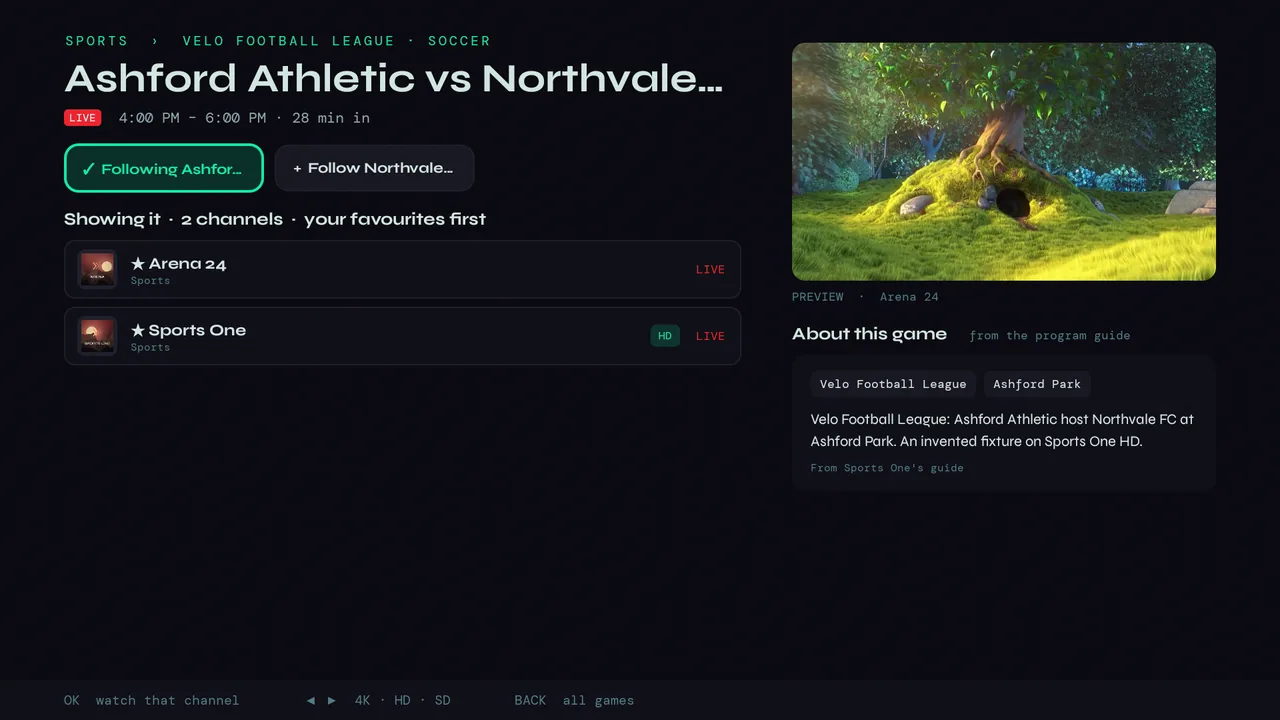
1On a game, choose + Follow next to a team.
-
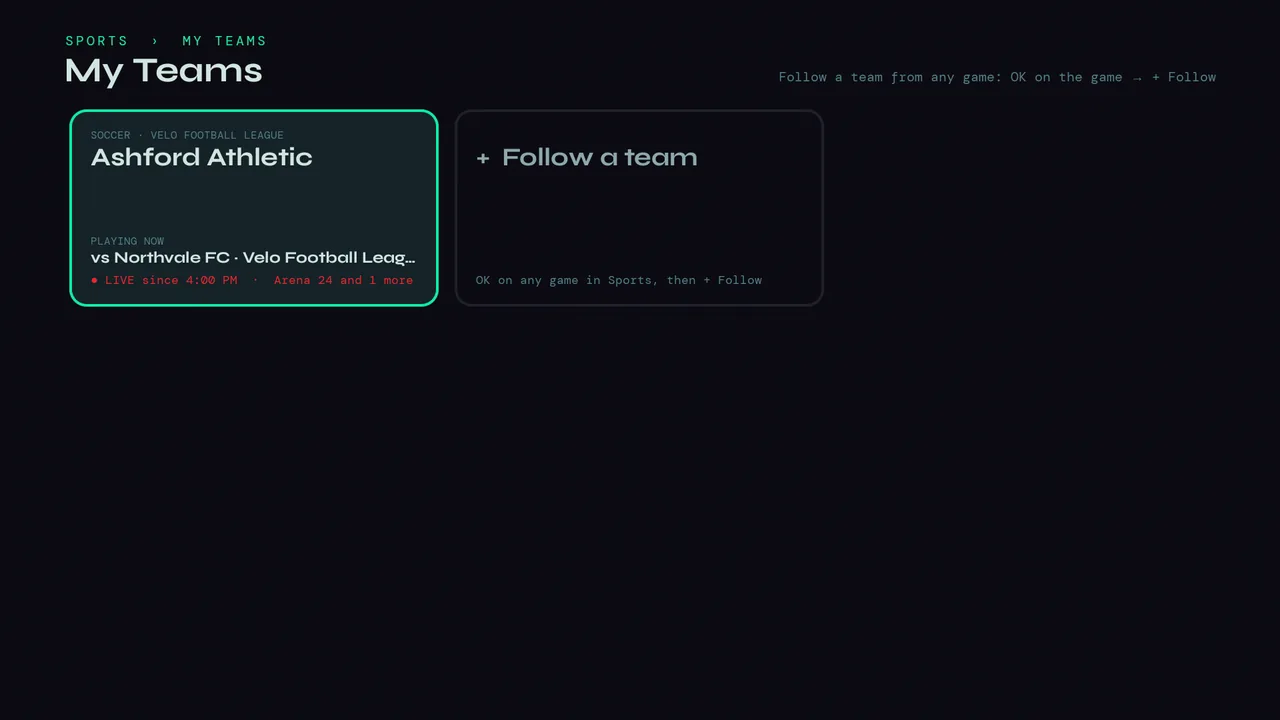
2★ My Teams at the top of Sports shows your teams and their next game. When one kicks off, Velo tells you: a message on screen if you're watching, or a notification if Velo is closed.
-
3Not into sport? Settings → Playback & Display → Sports in the Menu hides it. Your followed teams are kept.